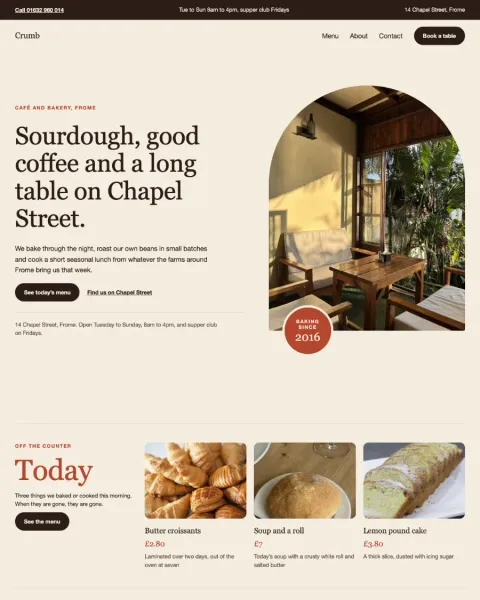



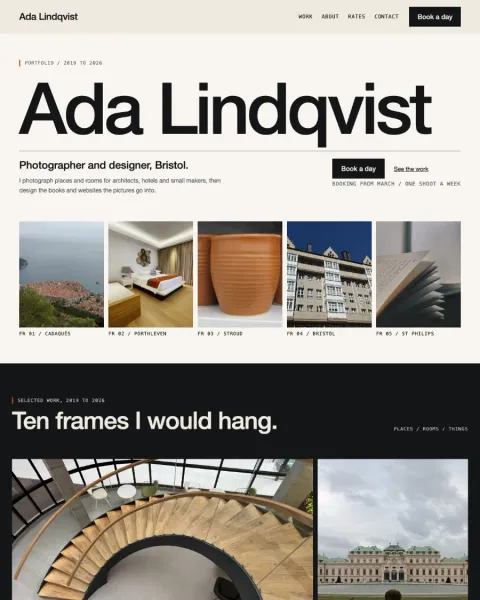


Oyster and marine, Post query calendar leaf
ProPost query calendar leaf
Authored font stack with theme and device fallbacks
Show your posts with WordPress blog patterns: dated lists and grids of openings, hand-written or as a live Query Loop that reads your own posts.
20 patterns shown
Post query calendar leaf
Authored font stack with theme and device fallbacks
Post query heavy bar
Authored font stack with theme and device fallbacks
Post query lapped plate
Authored font stack with theme and device fallbacks
Post query postcards
Authored font stack with theme and device fallbacks
Post query reading time
Authored font stack with theme and device fallbacks
Post query receding
Authored font stack with theme and device fallbacks
Post query run on
Authored font stack with theme and device fallbacks
Post query signed letters
Authored font stack with theme and device fallbacks
Cover contents
Authored font stack with theme and device fallbacks
Post featured lead
Authored font stack with theme and device fallbacks
Posts cover front page
Authored font stack with theme and device fallbacks
Try a shorter search or choose another category.
Showing 1–20 of 20 · Featured first
Looking for sections that move? 58 interactive patterns on their own page
20 patterns
| Pattern | What it is | Notable blocks | Variations | Access |
|---|---|---|---|---|
| Cover contents | A full-bleed photograph under a heavy veil of your contrast colour, set like a magazine contents page. | Cover | 2 | Subscription |
| Lead over the recent row | Two Query Loops read as one section, turned through ninety degrees. | Post author name, Post date, Post excerpt, Featured Image, Post title, Query Loop | 1 | Subscription |
| Post featured lead | Two Query Loops read as one section. | Post author name, Post date, Post excerpt, Featured Image, Post title, Query Loop | 2 | Subscription |
| Post grid | A run of writing as three openings across. | Image | 2 | Subscription |
| Post list | An illustrated article index. | Image, Separator | 2 | Subscription |
| Post query calendar leaf | Your six newest posts as calendar leaves. | Post date, Post title, Query Loop, Read more | 2 | Subscription |
| Post query category index | A live Query Loop as ruled rows. | Post date, Post excerpt, Post terms, Post title, Query Loop, Read more, Separator | 1 | Subscription |
| Post query grid | A live Query Loop as three openings across. | Post author name, Post date, Featured Image, Post title, Query Loop | 2 | Free |
| Post query heavy bar | A from-the-blog band of your three newest posts with no pictures and no excerpts. | Post date, Post title, Query Loop, Read more | 2 | Subscription |
| Post query lapped plate | A news band of your three newest posts, each a tall featured photograph with a plate of the page ground cut into its lower right corner. | Cover, Post date, Post title, Query Loop, Read more | 2 | Subscription |
| Post query list | A live Query Loop as a dated index. | Post date, Post excerpt, Post title, Query Loop, Separator | 2 | Free |
| Post query magazine | Two live Query Loops side by side. | Post date, Post excerpt, Featured Image, Post title, Query Loop, Read more | 1 | Subscription |
| Post query postcards | Your four newest posts as postcards, two across. | Cover, Post date, Post terms, Post title, Query Loop, Read more | 2 | Subscription |
| Post query reading time | A text-only index of your six newest posts set like a menu. | Post date, Post terms, Post time to read, Post title, Query Loop, Read more | 2 | Subscription |
| Post query receding | Your four newest posts as a list that recedes. | Post date, Post title, Query Loop, Read more | 2 | Subscription |
| Post query run on | A text-only archive of up to twelve posts set as one running paragraph. | Post date, Post title, Query Loop | 2 | Subscription |
| Post query signed letters | Your four newest posts as letters, two across. | Post author name, Post date, Post excerpt, Post title, Query Loop, Read more | 2 | Subscription |
| Posts cover front page | A newspaper front page set on one photograph. | Cover | 3 | Subscription |
| Posts quoted | A latest-posts section for a journal or blog that wants to be read rather than scanned. | Post date, Post excerpt, Post title, Query Loop, Read more, Separator | 1 | Subscription |
| Posts stamp index | A latest-posts index for a blog or news page. | Post date, Featured Image, Post title, Query Loop, Separator | 1 | Subscription |
Guide
A list of posts is a way in, not the posts themselves. Each entry needs a title that says what the post is about, a date so readers can tell it is current, and at most a line of excerpt. Featured images help when your pictures are consistent; when they are not, a dated list without pictures looks tidier.
Choose the layout by how much you publish. A grid of three suits a blog that posts now and then; a dated index suits a steady stream; a lead story above a row of recent ones suits a home page that wants one post to stand out. Whichever you choose, link to the full archive so readers can go further.
Use a Query Loop pattern when the list should update itself, and a hand-written list when you choose the posts. Keep excerpts short.
New to patterns? Learn how to copy and paste a pattern. Read how we test patterns.
FAQ
Open a pattern, choose a variation and press Copy pattern. In the block editor, click into an empty paragraph and press Cmd+V on Mac or Ctrl+V on Windows: the section arrives as ordinary blocks you edit like any other.
Patterns built on a Query Loop read your published posts and update themselves, with no editing. The others are hand-written: they keep the titles and links you type until you change them. The At a glance table on this page names the Query Loop where a pattern uses one.
Yes, in the patterns built on a Query Loop. Select the Query Loop block and add a category under Filters in its settings; the filter applies when the loop runs its own query rather than inheriting the template’s.
No. All 20 are built from core WordPress blocks, such as Query Loop, so they paste into the block editor with nothing to install.
Yes. Every pattern's first variation names no colour or font of its own: it takes your theme's palette, type and spacing when pasted. 11 Styled looks bring their own colours, and each is labelled Styled.
Yes, 2, marked Free in the At a glance table on this page. They copy without an account and are among 64 free Core Patterns; a subscription opens the rest.
Subscribe
Yearly plans
Every pattern, template and theme download, and new patterns as we release them.
Checking your account.
Yearly plans
Every pattern and styled look, every theme (whole pages, a theme download, or a whole website started in one click) and the Pro plugin, on unlimited websites. The interactive patterns are on Everything.
Billed once a year
What you copy is yours forever. Not for you? We refund within 14 days.
Unlimited covers your own sites and the sites you build for clients; an account may not be pooled or resold between unrelated businesses. Everything you copy is yours to keep, forever, on any site; access to the rest of the library runs while you subscribe. Not for you? Tell us within 14 days of a payment and we refund you. After that, cancelling stops the next renewal and access runs to the end of the year you have paid for. Prices are in pounds and are the full price in the UK, the US and eleven other countries; elsewhere the checkout adds your local VAT or sales tax. The terms name every country. If the renewal price changes, we will email you at least 30 days before it applies.
Already subscribed?
Pro, £49 a year
Sign in to continue
Your subscription lives on your account. Sign in, or create one here, and you go straight on to payment.
Not got an account?
A password is at least 8 characters. Trouble signing in? [email protected]
You are subscribed
Every page arrives as a draft, with the header, footer, menu and pictures. Nothing is published until you say.
Your plan, on unlimited websites. Your card, invoices, plan changes and cancellation are in Stripe's billing portal.
The Interactive Patterns come with Everything. Manage billing moves you up, and you pay only the difference.
Payment is handled by Stripe; we never see your card.