What we shipped, release by release.

Interactive Patterns arrive a few at a time. Every release updates itself on your sites, and each one comes with Everything at no extra price.

  • 55 releases
  • Updates itself
  • No extra price

Latest release

Plugin 0.49.1

  1. Plugin 0.49.1

    What changed

    • The animation script's address now changes with each plugin update, so a browser or cache holding an older copy cannot stop Loose Type dragging.
  2. Plugin 0.49.0

  3. Plugin 0.48.2

    What changed

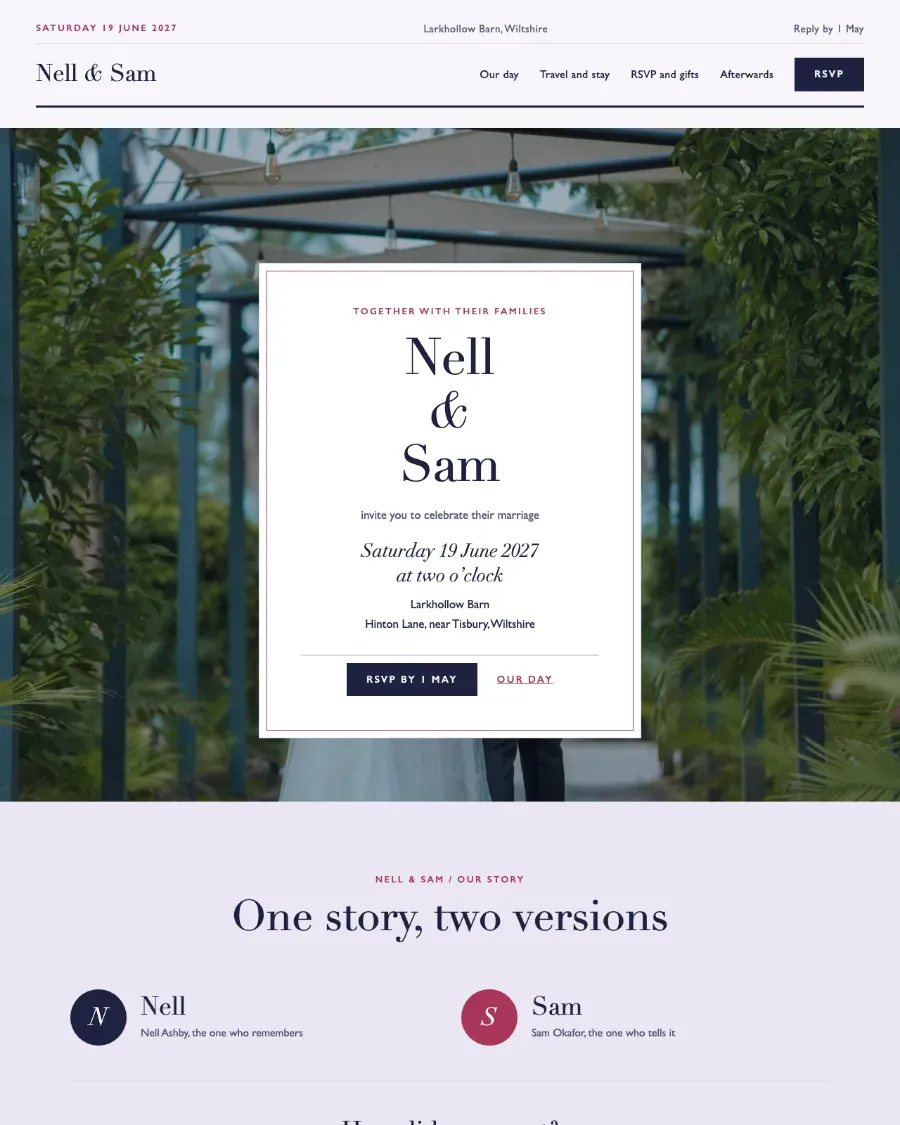
    • A new site from a theme gives each page the address the theme's buttons and footer link to, so links such as RSVP and gifts no longer reach a Page not found.
  4. Plugin 0.48.1

    What changed

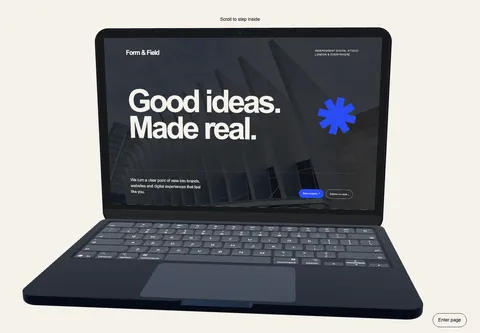
    • The Tape theme, a whole site for a podcast, joins the Sites tab.
    • Starting a site copies a theme's bundled photographs into your Media Library too, so a page keeps them if you later change theme.
  5. Plugin 0.48.0

    What changed

    • A new Sites tab under Settings → Pattern Paste starts a site from a Pattern Paste theme in one click: its pages as drafts with their sections in order, pictures copied into the Media Library, and on a block theme its header and footer as your theme's template parts with a menu of the new pages. Nothing is published or deleted. Every theme starts on either plan.
    • One plugin for both plans. On the Pro plan, the block editor's inserter shows each Designed Pattern under Pattern Paste Designed as a locked preview with an Upgrade link, and the Inserter tab shows them on one locked card; inserted by mistake, a preview shows nothing on the published page. Upgrading to Everything unlocks them in this same plugin, and pages already built are unchanged.
    • The Inserter tab lists the themes' own looks on either plan.
    • A theme with its own block theme offers two choices on the Sites tab. New site installs the theme (and, unless you untick it, activates it), makes its pages from the theme's own page patterns and points its header at a menu of them, without touching any template part. Keep my theme adds the pages to the theme you have, as before. Pattern Paste themes installed this way get their updates through the plugin.
  6. Plugin 0.47.6

    What changed

    • Recognises the photographs of the two cover patterns now in the free plugin, so taking over from it keeps them in the Media Library.
  7. Plugin 0.47.5

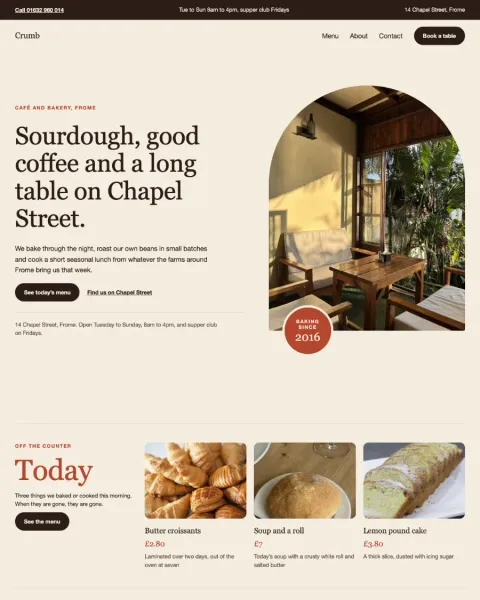
    What changed

    • Carries the photographs used by the twelve new cover patterns, so they copy into the Media Library on insert.
  8. Plugin 0.47.4

    What changed

    • Activating Pattern Paste switches off the free plugin under its WordPress.org name, Pattern Paste Block Patterns, as well as from the earlier pattern-paste-free folder, and copies images from either folder.
  9. Plugin 0.47.3

    What changed

    • Phone patterns retain their physical handset and scrolling turns on Retina laptop screens.
  10. Plugin 0.47.2

    What changed

    • Phones fit the available height in small laptop windows so their scroll animation keeps working.
  11. Plugin 0.47.1

    What changed

    • Native phone screen content retains its correct proportions if the 3D renderer cannot start.
  12. Plugin 0.47.0

    4 new designs

    Also in this release

    • Pocket Stories now uses the detailed phone model from GSAP Vault, with a metal frame, frosted glass back and reflective camera lenses. The phone appears once its first frame is ready. Turning motion off keeps the same phone still. Scene buttons scroll through the phone's turn, and can be hidden for a scrolling-only page. Scenes fill the viewport height. Choose a left, centre or right phone position and set the scene text alignment.
    • Four new editable device patterns: Pace, Still and Frequency use the phone; Daybook uses the laptop. Each has its own library entry and keeps the shared device controls, Designed and Use my theme appearances.
  13. Plugin 0.46.0

    1 new design

    Also in this release

    • Pocket Stories: a phone that turns as visitors scroll through your scenes. Add, reorder or remove scenes, replace each screen with an image or video, and edit its text and background in WordPress.
  14. Plugin 0.45.11

    What changed

    • Job Casebook: when you set the section's text colour, the job tabs take your colours too, so their names stay readable on any background.
  15. Plugin 0.45.10

    What changed

    • Tested up to WordPress 7.1. It still installs on 7.0.
    • Designed Patterns that are not on your plan explain that they come with the Everything plan.
  16. Plugin 0.45.9

    What changed

    • Step Inside, the 3D laptop, still appears after you reload a page you had scrolled down, and its photograph no longer jumps in size as the laptop hands over to your page in a tall window.
  17. Plugin 0.45.8

    What changed

    • Saving a licence key, copying images and downloading the 3D laptop no longer fail with a 502 on some Mac local servers such as Local. Settings -> Pattern Paste lists any 3D model not yet installed, with an Install button.
    • Step Inside, the 3D laptop, eases a little more softly and no longer flashes its frame, background or Enter page button when you scroll past it quickly.
  18. Plugin 0.45.7

    What changed

    • Bough, the tree surgeon Pattern Set, reads greener: Job Casebook and Recent Jobs take its leaf-green labels and rules, with hi-vis orange kept for calls and the storm line. The old lawn photograph is no longer brought to your Media Library.
  19. Plugin 0.45.6

    2 new designs

    Also in this release

    • Two new Designed Patterns for tree surgeons and other trades: Job Casebook, several before and after jobs with a docket each, and Recent Jobs, a ribbon of job cards you can drag.
  20. Plugin 0.45.5

    What changed

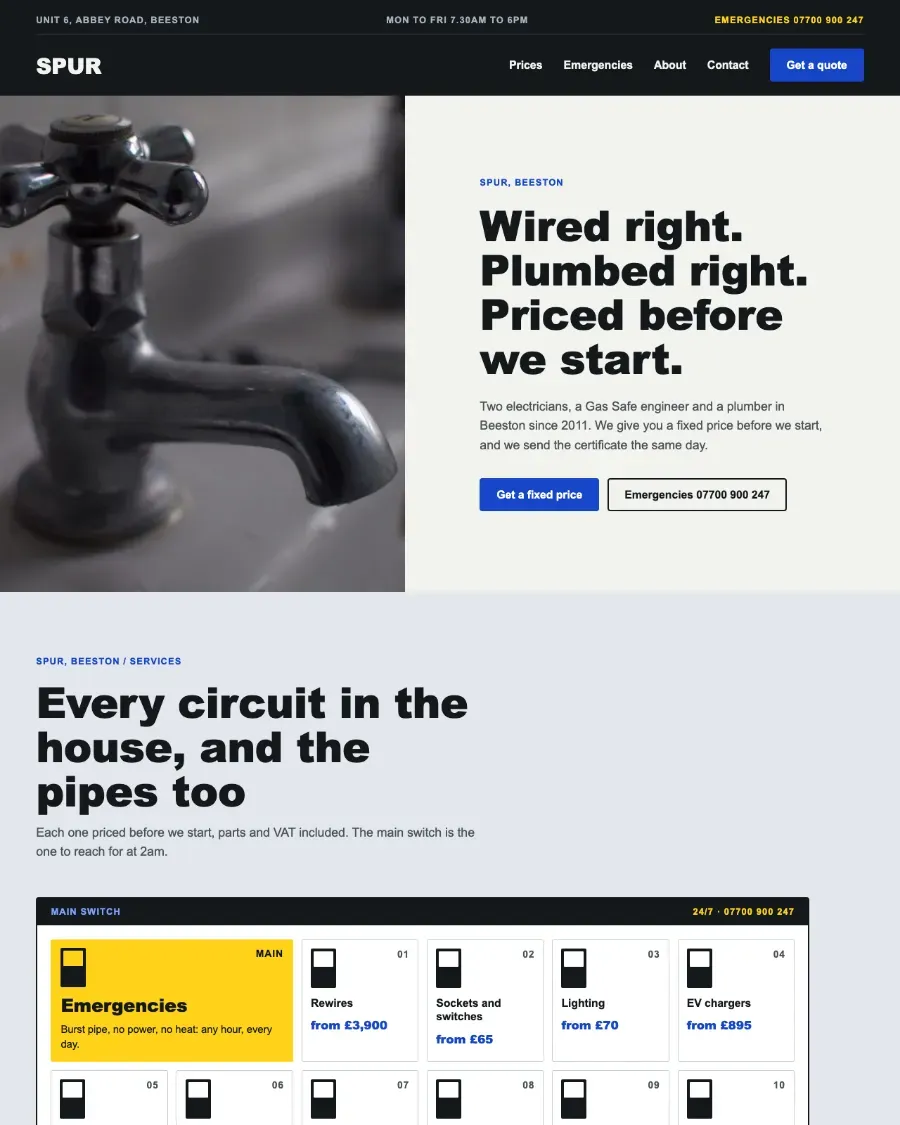
    • The fixed price job board shows a basin tap in place of the outdoor tap photograph, which is no longer brought to your Media Library.
  21. Plugin 0.45.4

    What changed

    • Spur, the electrician and plumber Pattern Set, and Folio, the free Pattern Set: their WordPress.org photographs come to your Media Library when you insert one of their patterns.
  22. Plugin 0.45.3

    What changed

    • Vow, the wedding Pattern Set: its WordPress.org photographs come to your Media Library when you insert one of its patterns.
  23. Plugin 0.45.2

    What changed

    • The Inserter tab carries less code; it looks and works as before.
  24. Plugin 0.45.1

    What changed

    • The licence status says "adding paid designs" in place of library downloads.
  25. Plugin 0.45.0

    What changed

    • The Library tab is now the Inserter tab: a row per section with a switch and counts, a checkbox per design, search and filters that work as you type, and one Save for many designs. No thumbnails; each design links to its preview on patternpaste.com.
    • Core Patterns in the inserter is off on a new site, so the inserter starts clear. A site updating from an earlier release, or from Pattern Paste Free, keeps what it had.
  26. Plugin 0.44.7

    What changed

    • Step Inside: the laptop eases after your scroll instead of stepping with each notch of the wheel; the page itself still scrolls normally.
    • Step Inside: the studio mark is its own block, so it can be removed or replaced like anything else on the laptop's page. Sections you have already built keep theirs.
  27. Plugin 0.44.6

    What changed

    • Step Inside no longer adds a sideways scrollbar, and its Enter page button stays on screen when the page is taller than the window.
  28. Plugin 0.44.5

    What changed

    • Step Inside keeps its screen text readable in themes without a colour palette.
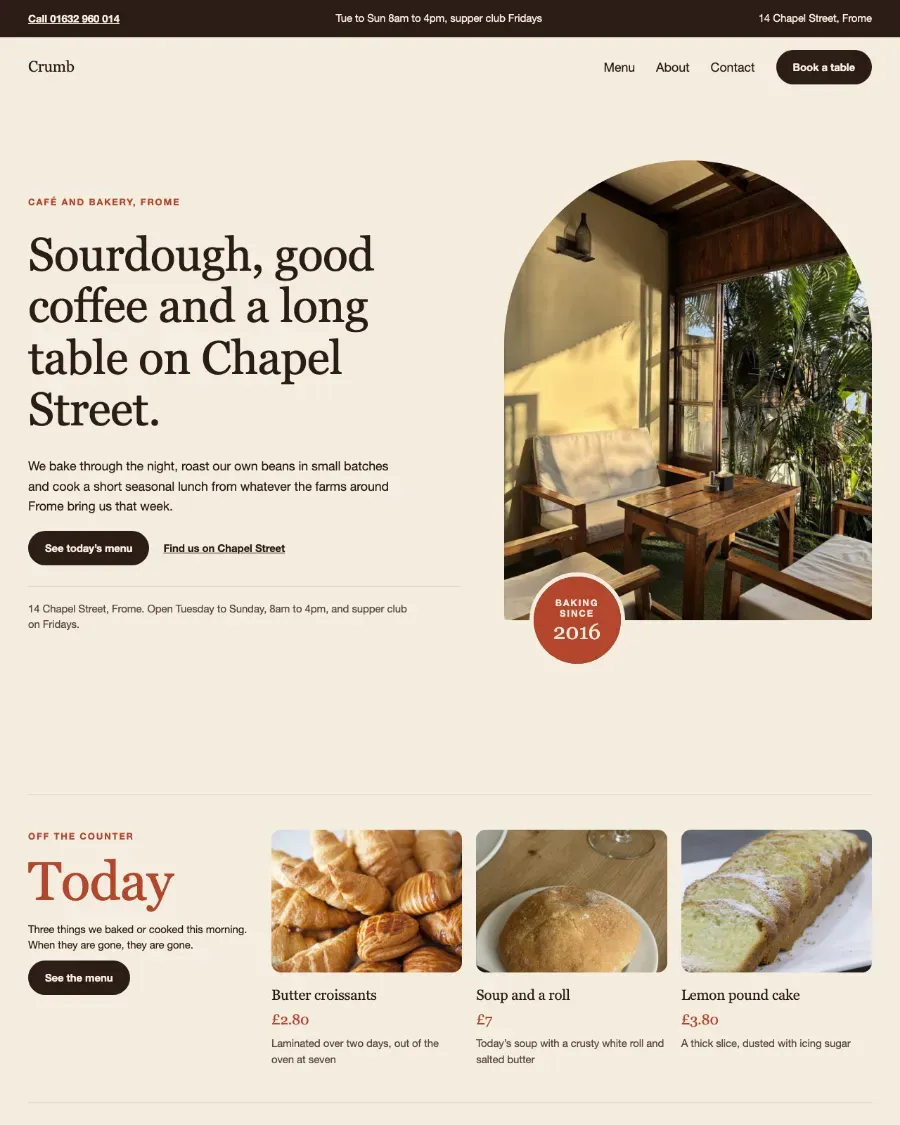
    • Crumb's reviews and opening hours come on a dark ground.
  29. Plugin 0.44.4

    What changed

    • Photos from the WordPress.org Photo Directory are now copied into your Media Library straight from WordPress.org.
  30. Plugin 0.44.3

    What changed

    • Crumb, a new Pattern Set for cafés: its photographs are recognised as ones already in your Media Library, so they are not copied twice.
  31. Plugin 0.44.2

    What changed

    • Pictures in the new Core Patterns are recognised as ones already in your Media Library, so they are not copied twice.
  32. Plugin 0.44.1

    What changed

    • Leadership Notes, Collected in Colour, The Light Table and Isometric Project Wall removed from the collection before sale; Feature Ledger opens on its featured plan.
  33. Plugin 0.44.0

    What changed

    • The free Core Patterns are in the inserter as soon as the plugin is active, as they were with Pattern Paste Free: no download step. Core Patterns in the inserter turns them off and on.
    • The pattern library is now the Library tab of Settings → Pattern Paste, with no separate switch; the old Appearance → Pattern Paste address opens it. The tab says plainly what is already in your inserter and what adding a paid design costs.
    • Three inserter categories, the same as Pattern Paste Free's: Pattern Paste Core, Pattern Paste Styled and Pattern Paste Designed.
    • One design the catalogue cannot read is skipped instead of emptying the whole library, and variations that open on a finish (such as rounded corners) can be added.
    • Activating Pattern Paste says that Pattern Paste Free was switched off, even when Free was installed from a renamed folder.
    • Images copied into the Media Library get readable titles, such as "Dried flowers" and "Orbisk logo".
  34. Plugin 0.43.5

    What changed

    • Step Inside: the laptop's screen is now a Cover block with a background photograph, and the section starts unlocked, so you can change its layout freely. Over the photo the text keeps your theme's strongest colour pair in any section colour.
    • The laptop's 3D model downloads only on a site with an active Pattern Paste licence. A model already installed keeps working; without a licence the block settings say so and link to the licence settings.
    • Open Door is retired: its enquiry form only prepared an email draft. The Core contact patterns remain for contact pages.
    • Impact Report is withdrawn for now.
  35. Plugin 0.43.4

    What changed

    • Postcard Reels in Use my theme: the outline button keeps your theme's own border (or none, if your theme draws outline buttons without one) and takes only its colour from the section's text.
  36. Plugin 0.43.3

    What changed

    • Form Library Wall is retired; Isometric Project Wall remains as the isometric wall.
  37. Plugin 0.43.2

    What changed

    • Postcard Reels in Use my theme: the outline button ("See the routes") is now always drawn in the section's own text colour on a clear fill, so it reads under every section style and theme button colour.
  38. Plugin 0.43.1

    What changed

    • Two more Designed Patterns are retired, each now a Styled Core Pattern that needs no plugin: Studio Index and Quiet Retainers.
  39. Plugin 0.43.0

    What changed

    • Eighteen Designed Patterns are retired, each now a Styled Core Pattern that needs no plugin: Before You Join, Guest Notes, Help Desk, The Working Agreement, Good to Know, Open Book, Product Team Roster, The Reading Room, Open Studio, The People Behind It, Contact Sheet, Website Care, Flagship Offer, Signal Field, Product Workbench, Editorial Hero, Good Company and The Written Reply.
  40. Plugin 0.42.1

    What changed

    • Step Inside no longer prints a model credit on your page. Its sidebar gives the credit text for the 3D model, to add to your own credits page.
    • Step Inside's scroll prompt now sits behind the laptop as quiet text, and the opening lid covers it.
  41. Plugin 0.42.0

    What changed

    • Each Designed Pattern is now its own block, and a page loads only the scripts and styles for the patterns it uses, as modern script modules. The same look and motion from a smaller plugin.
    • An update to one Designed Pattern can no longer change another: each one keeps the exact version of every effect it was built with.
    • In the editor a Designed Pattern appears already styled, never briefly unstyled while its stylesheet loads.
  42. Plugin 0.41.0

    2 new designs

    Also in this release

    • Every Designed Pattern is in the block inserter, under Patterns, Pattern Paste Designed, with the same names as in Pattern Paste Free. A switch on Settings → Pattern Paste hides them if you would rather add them from the Pattern Paste site; pages that already use them keep working.
    • One settings screen, Settings → Pattern Paste, in cards with on/off switches: your connection and updates, Designed and Core Patterns in the inserter, the pattern library, image copying and 3D model downloads, and a status line with what the plugin has copied to your site. The library screen has the same look. A Settings link sits on the plugin's row.
    • A smaller download: Step Inside's 3D laptop model is no longer inside the plugin. It is copied once into your uploads folder when you first insert the pattern, or from its block settings, and pages that already use it get it automatically after the update. Until it is there the pattern shows its static layout.
    • Pattern images are copied into your Media Library when you insert or paste a pattern, so your pages show them from your own site with responsive sizes. An older page that still shows them from elsewhere offers to copy them when you edit it.
    • Deactivates the free plugin on activation, and pages built with it keep working. If a page still shows images from the free plugin's folder, a notice copies them into your Media Library before you delete it.
  43. Plugin 0.40.0

    What changed

    • Designed Patterns now animate with Anime.js (MIT) instead of GSAP: the same look and motion from a smaller download, about half the size.
  44. Plugin 0.39.1

    What changed

    • Large headings in 20 Designed Patterns no longer split a word across lines or run past their column in any theme or screen width. Alliances now shows its partner cards two across.
  45. Plugin 0.39.0

    What changed

    • Designed Sections are now Designed Patterns, and Core Sections are now Core Patterns. The block is now patternpaste/designed, titled Designed Pattern, and the library screen, settings and catalogue use the new names.
  46. Plugin 0.37.4

    What changed

    • Added Open Door, a guided enquiry section that uses your existing form or helps visitors prepare an email draft.
    • Added protected form areas with native form block and shortcode controls, plus an easy return to the email draft.
  47. Plugin 0.34.1

    What changed

    • The supported WordPress floor is now 7.0. Earlier versions are no longer verified.
  48. Plugin 0.34.0

    What changed

    • Removed the eight archived standalone blocks (Before / After, Scrollspy Rail, Content Slider, Warp Reel, Isometric wall, Stack, Chapters, Marquee) and the editor and motion libraries they shared. Nobody bought one; they were already hidden from the inserter and are no longer supported. A page that still carries one shows its inner blocks as ordinary core blocks, exactly as deactivating the plugin always did.
    • Removed the site-wide motion kill switch that only those blocks answered to. Each Designed Section keeps its own Motion setting, and a visitor asking their browser for reduced motion is still honoured.
    • Designed Sections are unchanged, byte for byte.
  49. Plugin 0.33.6

    What changed

    • A text colour or heading size you set on a Designed Section now reaches its labels, numerals and notes in 25 sections, in both appearances. Sections you have not restyled look exactly as before.
    • Fixed the pause button in the Signoff section, which was cut off and could not be tapped on a phone.
    • Secondary buttons in the Hosting, Credits and Support sections use the core Outline style, so your theme's outline button design applies to them.
    • Designed Sections sit on your theme's wide width, and a section's editor assets load only with that section.
  50. Plugin 0.33.0

    6 new designs

    Also in this release

    • Added a drag interaction for Designed Section marquees and optional looping for content sliders, with touch scrolling, keyboard controls and saved editor settings.
    • Selected photo marquees and portfolio sliders demonstrate dragging and looping. Existing saved marquees retain hover steering; sliders remain finite unless looping is enabled.
  51. Plugin 0.29.0

    What changed

    • Added a resettable speed control shared by all marquee Designed Sections.
  52. Plugin 0.28.2

  53. Plugin 0.28.0

    What changed

    • Added three image accordion sections with native content editing, repeatable items and an image-side control.
    • Added optional marquee cursor feedback and pause controls.
  54. Plugin 0.27.0

    What changed

    • Added fourteen editable marquee Designed Sections for galleries, testimonials, logos, services, announcements, heroes and footers.
    • Added continuous marquee loops with pointer-controlled rewind, hold and acceleration, click-to-pause rows, keyboard pause controls and reduced-motion fallbacks.
  55. Plugin 0.26.0

    What changed

    • Made Designed Sections the plugin's public offer and kept their shared runtime available.
    • Archived standalone blocks from the inserter while retaining registration for existing content.
    • Kept the optional WordPress library aligned with the active Core and Designed Section catalogues.

8 Themes · 542 patterns · 58 interactive

Your next site, finished sooner.

Start a whole site from a theme, or add one section to the site you have.

Browse themesSubscribe