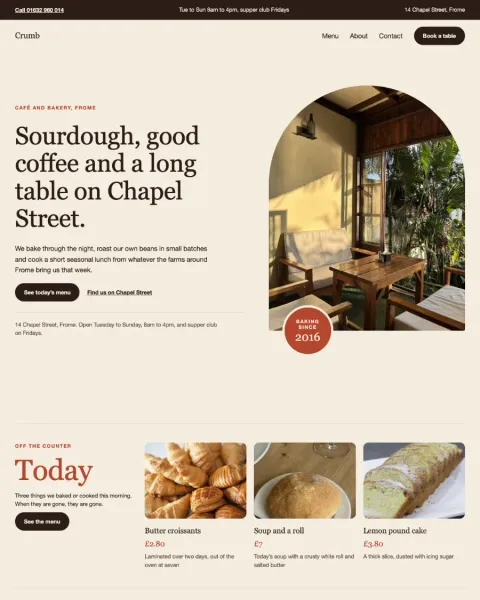





Cream and paprika, Menu with diet columns
ProMenu with diet columns
Authored font stack with theme and device fallbacks
WordPress table patterns for specification sheets, data ledgers, benchmarks and feature matrices, in the core table block your theme already styles.
19 patterns shown
Mend Physiotherapy clinic
See Mend as whole pagesMenu with diet columns
Authored font stack with theme and device fallbacks
Timetable by the hour
Authored font stack with theme and device fallbacks
Mileage chart
Authored font stack with theme and device fallbacks
Nutrition panel
Authored font stack with theme and device fallbacks
Fixtures on the centre line
Authored font stack with theme and device fallbacks
Data ledger table
Authored font stack with theme and device fallbacks
Try a shorter search or choose another category.
Showing 1–19 of 19 · Featured first
Looking for sections that move? 58 interactive patterns on their own page
19 patterns
| Pattern | What it is | Notable blocks | Variations | Access |
|---|---|---|---|---|
| Benchmark matrix | A high-density performance and latency benchmark table comparing five execution workloads against an industry benchmark, with right-aligned numeric data and a methodology footnote. | Table | 2 | Subscription |
| Clinician week rota | A small team's week as a rota. | Group | 2 | Subscription |
| Compare matrix | A capability matrix in a core table. | Table | 4 | Subscription |
| Data ledger table | A structured operational data ledger table of five transactions with reference, allocation and amount, paired with header action controls. | Table | 3 | Subscription |
| Downloads list | A headline over five ruled rows, one per document. | Group | 1 | Subscription |
| Feature checklist matrix | A comprehensive multi-category capability matrix in a fixed core table. | Table | 2 | Free |
| Fixtures on the centre line | A sports club's results and next matches as ruled rows down the middle of the page. | Group | 2 | Subscription |
| League table | Eight ruled rows of a league, one per club. | Group | 2 | Subscription |
| Menu with diet columns | A restaurant menu as three core tables, one per course, where each diet has a column of its own. | Table | 2 | Subscription |
| Mileage chart | A road-atlas distance chart for six towns. | Group | 2 | Subscription |
| Nutrition panel | A product's nutrition label as a boxed panel. | Group | 2 | Subscription |
| Plan comparison table | A three-tier pricing and feature comparison layout. | Table | 2 | Subscription |
| Price list | Three named groups, each a short heading hanging left of a core table of service, time and price. | Table | 1 | Subscription |
| Property spec matrix | A dual-image gallery header paired with a structured property and architectural specification table, dimension breakdown, and inquiry action button. | Image, Table | 2 | Subscription |
| Season bands | A farm shop's year as eight ruled rows. | Columns, Group | 2 | Subscription |
| Spec table | A two-column specification sheet in a core table, ruled between every row, hanging off one heavy rule with the section title beside it in the margin. | Table | 2 | Free |
| Split spec sheet | An image-anchored datasheet. | Image, Table | 2 | Subscription |
| Timetable by the hour | A week of classes as five ruled rows, one per start time. | Group | 2 | Subscription |
| Wide region rail | A six-region availability matrix set wider than the measure that introduces it. | Table | 2 | Subscription |
Guide
A table is for information people compare across a row or look up down a column: specifications, opening times, rates, availability. If the content reads as sentences, it belongs in paragraphs; a table full of prose is harder to read, not easier.
Keep the column heads short and put units in the head rather than in every cell. Choose a two-column sheet for the facts about one thing, a wider matrix when several options share the same rows, and fewer columns whenever you can, because a phone has room for very few.
Use the table block for data that reads across rows. Keep column heads short, and use a comparison pattern when only two or three options compete.
New to patterns? Learn how to copy and paste a pattern. Read how we test patterns.
FAQ
Open a pattern, choose a variation and press Copy pattern. In the block editor, click into an empty paragraph and press Cmd+V on Mac or Ctrl+V on Windows: the section arrives as ordinary blocks you edit like any other.
Yes. Select a cell in a Table block and use Edit table in the block toolbar to insert a row or a column before or after it, or to delete one.
No. The core Table block is static: it shows the rows in the order you set them. Sort the rows before you publish, or use a table plugin if visitors need to sort and search.
No. All 19 are built from core WordPress blocks, such as Table, so they paste into the block editor with nothing to install.
Yes. Every pattern's first variation names no colour or font of its own: it takes your theme's palette, type and spacing when pasted. 10 Styled looks bring their own colours, and each is labelled Styled.
Yes, 2, marked Free in the At a glance table on this page. They copy without an account and are among 64 free Core Patterns; a subscription opens the rest.
Subscribe
Yearly plans
Every pattern, template and theme download, and new patterns as we release them.
Checking your account.
Yearly plans
Every pattern and styled look, every theme (whole pages, a theme download, or a whole website started in one click) and the Pro plugin, on unlimited websites. The interactive patterns are on Everything.
Billed once a year
What you copy is yours forever. Not for you? We refund within 14 days.
Unlimited covers your own sites and the sites you build for clients; an account may not be pooled or resold between unrelated businesses. Everything you copy is yours to keep, forever, on any site; access to the rest of the library runs while you subscribe. Not for you? Tell us within 14 days of a payment and we refund you. After that, cancelling stops the next renewal and access runs to the end of the year you have paid for. Prices are in pounds and are the full price in the UK, the US and eleven other countries; elsewhere the checkout adds your local VAT or sales tax. The terms name every country. If the renewal price changes, we will email you at least 30 days before it applies.
Already subscribed?
Pro, £49 a year
Sign in to continue
Your subscription lives on your account. Sign in, or create one here, and you go straight on to payment.
Not got an account?
A password is at least 8 characters. Trouble signing in? [email protected]
You are subscribed
Every page arrives as a draft, with the header, footer, menu and pictures. Nothing is published until you say.
Your plan, on unlimited websites. Your card, invoices, plan changes and cancellation are in Stripe's billing portal.
The Interactive Patterns come with Everything. Manage billing moves you up, and you pay only the difference.
Payment is handled by Stripe; we never see your card.