


- 25 patterns
- 12 styled looks
- No plugin needed
WordPress timeline patterns
Make a timeline in WordPress without a plugin: copy a pattern built from core blocks, paste it into the editor and it takes your theme’s colours.


Timeline, 25 patterns
25 patterns shown
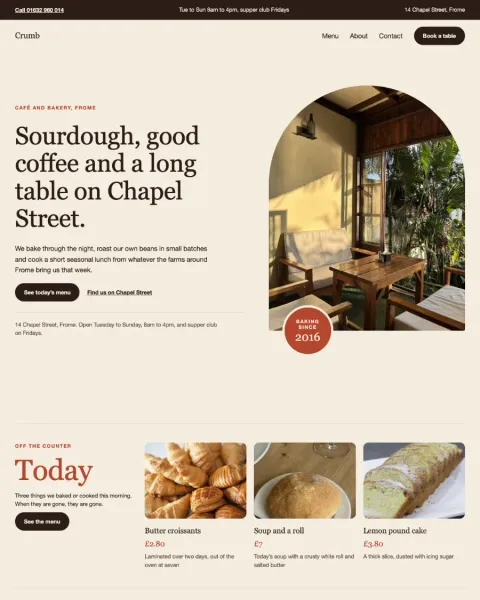
Crumb Café and bakery
See Crumb as whole pagesMend Physiotherapy clinic
See Mend as whole pagesVow Wedding website
See Vow as whole pagesBough Tree surgeon
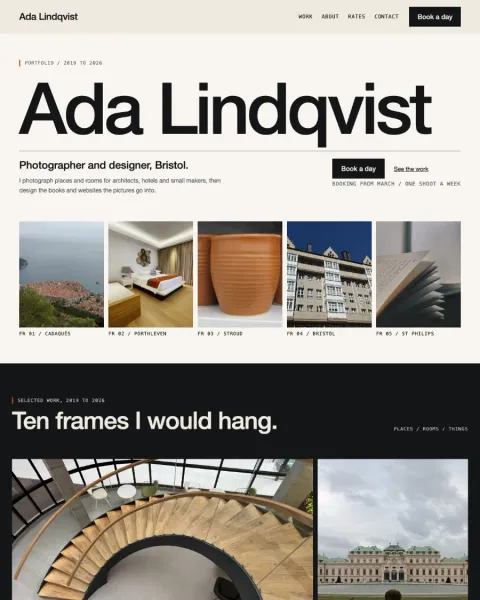
See Bough as whole pagesFolio Freelance photographer and designer
See Folio as whole pages


Bough, Season calendar strip
ProSeason calendar strip
Authored font stack with theme and device fallbacks
Bough, TPO permission steps
ProTPO permission steps
Authored font stack with theme and device fallbacks
Folio, Availability calendar
FreeAvailability calendar
Authored font stack with theme and device fallbacks
Vow, Timeline order of service
ProTimeline order of service
Authored font stack with theme and device fallbacks
Mend, First visit to scale
ProFirst visit to scale
Authored font stack with theme and device fallbacks
Plum and blush, Timeline cover years
ProTimeline cover years
Authored font stack with theme and device fallbacks
Midnight and lime, Timeline decades
ProTimeline decades
Authored font stack with theme and device fallbacks
Ink and vermilion, Timeline numerals
ProTimeline numerals
Authored font stack with theme and device fallbacks
No patterns match
Try a shorter search or choose another category.
Showing 1–25 of 25 · Featured first
Looking for sections that move? 58 interactive patterns on their own page
25 patterns
At a glance
| Pattern | What it is | Notable blocks | Variations | Access |
|---|---|---|---|---|
| About day in hours | An about-us story told as the business’s working day. | Image | 2 | Subscription |
| App changelog | Three ruled release rows under a headline. | Columns, Group | 1 | Subscription |
| Availability calendar | The next six months at a glance, as a wall planner of month tiles. | Columns, Group | 2 | Free |
| Course plan taper | A typical course of treatment drawn as eight weeks on a ruled baseline. | Group | 2 | Subscription |
| Eras across | A long history read across the page rather than down it. | Group | 2 | Subscription |
| First visit to scale | What happens at a first appointment, drawn to scale. | Group | 2 | Subscription |
| Season calendar strip | The year as one strip of twelve month cells, each naming the work that suits it. | Image | 2 | Subscription |
| Stage line | A FAQ sorted by when each question is asked. | Details, Separator | 2 | Subscription |
| The archive as a strip | A history taken in one pass. | Image | 1 | Free |
| The spread as chapters | Three eras as three chapters, each one a wide 21. | Image | 1 | Subscription |
| Timeline ahead | A timeline that runs forward. | Columns, Group | 2 | Subscription |
| Timeline archive | A history set as a contact sheet. | Image | 1 | Subscription |
| Timeline axis | Five eras of one observatory hung across the page rather than down it. | Group | 2 | Free |
| Timeline cover years | A full-bleed cover under a heavy veil of your theme's contrast colour. | Cover | 3 | Subscription |
| Timeline crossing | Six dated entries alternating across one continuous currentColor rule down the centre of the section. | Columns, Group | 2 | Subscription |
| Timeline decades | A long history set as a record. | Columns, Group | 2 | Subscription |
| Timeline frames | An image-led history. | Image | 2 | Subscription |
| Timeline numerals | Five dated entries and no rule anywhere. | Columns, Group | 3 | Subscription |
| Timeline on a cover | A whole history laid over one full-bleed photograph. | Cover | 2 | Subscription |
| Timeline order of service | The order of the day as an order-of-service booklet opened flat. | Image, Separator | 2 | Subscription |
| Timeline parallel | Two histories run down the page together and are compared row by row. | Columns, Group | 2 | Subscription |
| Timeline rail | Six dated milestones hung on one continuous currentColor hairline. | Columns, Group | 2 | Free |
| Timeline spread | Three eras, each given a whole editorial spread. | Media & Text | 1 | Subscription |
| Timeline stair | Six dated entries that step across the page as they descend. | Columns, Group | 2 | Subscription |
| TPO permission steps | A four-step process on an inverted slab for work that needs the council's consent. | Group | 2 | Subscription |
Guide
Designing a timeline section
WordPress has no timeline block, and a timeline needs neither one nor a plugin: it is dates, headings and short lines laid out with core blocks. It shows that something has a past or a plan: a business that has grown, a building that has changed, a project with dates ahead. It earns its place when each entry is a real turning point, not every year since you opened.
Pick the layout from your material. A few big eras with good photographs suit wide spreads or a row of frames. A long run of short entries suits a single rule down or across the page. If you have no pictures at all, let the dates themselves carry the design at display size.
Keep each entry to a date, a title and a line. A timeline is a history; use a process pattern when the reader has to act in order.
New to patterns? Learn how to copy and paste a pattern. Read how we test patterns.
FAQ
WordPress timeline patterns: common questions
How do I add one of these WordPress timeline patterns to my site?
Open a pattern, choose a variation and press Copy pattern. In the block editor, click into an empty paragraph and press Cmd+V on Mac or Ctrl+V on Windows: the section arrives as ordinary blocks you edit like any other.
Can I make a timeline in WordPress without a plugin?
Yes. WordPress has no timeline block, and it does not need one: a timeline is dates, titles and short lines laid out with core blocks such as Group, Columns, Heading and Paragraph. Copy a pattern here, paste it into the editor and change the dates; there is nothing to install.
Can a timeline show future plans, not just history?
Yes. The dates are ordinary text, so a timeline can run forward as a roadmap, a project plan or a season of work as easily as it runs back through a history.
Does a timeline update itself from my posts?
No. A timeline pattern is a fixed set of blocks you edit by hand. To list posts by date automatically, use a Query Loop block instead.
Do these WordPress timeline patterns need a plugin?
No. All 25 are built from core WordPress blocks, so they paste into the block editor with nothing to install.
Will they match my theme?
Yes. Every pattern's first variation names no colour or font of its own: it takes your theme's palette, type and spacing when pasted. 12 Styled looks bring their own colours, and each is labelled Styled.
Are any WordPress timeline patterns free?
Yes, 4, marked Free in the At a glance table on this page. They copy without an account and are among 64 free Core Patterns; a subscription opens the rest.