



Notepaper and bilberry, Editorial postscript
ProEditorial postscript
Authored font stack with theme and device fallbacks
Long-form WordPress editorial patterns: article sections with a measure, a side rail and room to read, built from core blocks for your theme.
26 patterns shown
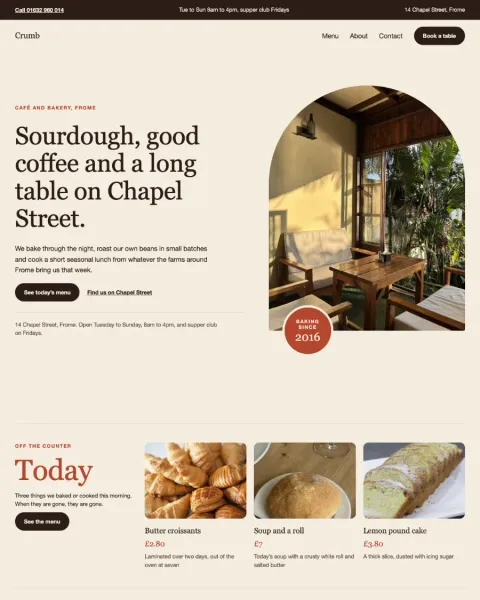
Crumb Café and bakery
See Crumb as whole pagesMend Physiotherapy clinic
See Mend as whole pagesVow Wedding website
See Vow as whole pagesSpur Electrician and plumber
See Spur as whole pagesBough Tree surgeon
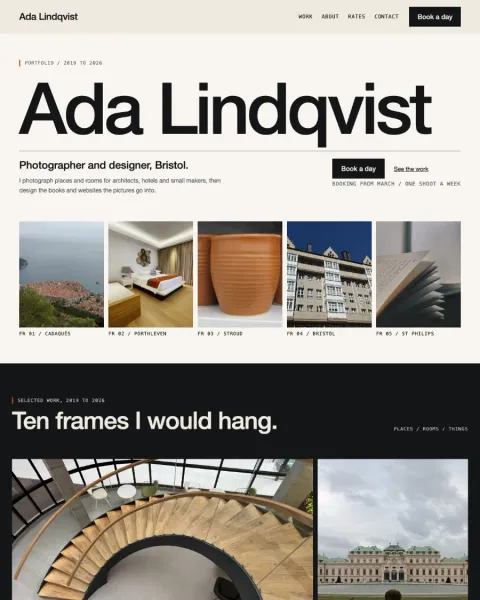
See Bough as whole pagesFolio Freelance photographer and designer
See Folio as whole pagesTape Podcast
See Tape as whole pagesCounsel Law firm
See Counsel as whole pagesEditorial postscript
Authored font stack with theme and device fallbacks
The short version
Authored font stack with theme and device fallbacks
Figures in words
Authored font stack with theme and device fallbacks
Story object label
Authored font stack with theme and device fallbacks
Story then and now
Authored font stack with theme and device fallbacks
Story three generations
Authored font stack with theme and device fallbacks
Editorial notes chapters
Authored font stack with theme and device fallbacks
Editorial transcript lines
Authored font stack with theme and device fallbacks
About pull quote photo
Authored font stack with theme and device fallbacks
About stacked plates
Authored font stack with theme and device fallbacks
About stacked plates
Authored font stack with theme and device fallbacks
Try a shorter search or choose another category.
Showing 1–26 of 26 · Featured first
Looking for sections that move? 58 interactive patterns on their own page
Any theme
The same section in each theme below, word for word. The pattern brings the layout; the colours and fonts are the theme’s, so it matches the rest of your site.
26 patterns
| Pattern | What it is | Notable blocks | Variations | Access |
|---|---|---|---|---|
| About founder story | An about-page story told by the founder. | Image | 5 | Subscription |
| About pull quote photo | A founder’s story led by a large pull quote on a plate that laps up over an offset pair of photographs, a tall one and a shorter one dropped lower, with a signed attribution, a short paragraph and a text link. | Image | 2 | Subscription |
| About stacked plates | An about-us story set as three stacked plates. | Image | 3 | Subscription |
| Article footer | The close of an article. | Image, Post author biography, Post author name, Post navigation link | 2 | Subscription |
| Article opener | The opening of a long read. | Separator | 1 | Subscription |
| Case study spread | One project told in full on a dark slab. | Image | 2 | Free |
| Chapter rail | A chapter of a guide. | Separator | 1 | Subscription |
| Comments region | The comment thread as a ruled record. | Comment author name, Comment content, Comment date, Comment reply link, Comment template, Comments, Comments title | 2 | Subscription |
| Content columns | A long-form editorial section held to a strict reading measure, with a narrow sidenote rail hanging outside it. | Separator | 1 | Subscription |
| Editorial cover contents | A screen-height cover like a magazine's. | Cover | 3 | Subscription |
| Editorial lap | A two-frame editorial spread where an inverted headline slab laps up over the first photograph and breaks out of its column. | Image, Separator | 6 | Subscription |
| Editorial notes chapters | Two columns for what surrounds a recording. | Columns, Group | 2 | Subscription |
| Editorial postscript | A founder's note as a letter. | Group | 2 | Subscription |
| Editorial transcript lines | An excerpt of a conversation on a dark band. | Columns, Group | 2 | Subscription |
| Figure break | A reading column interrupted by one wide photograph. | Image | 2 | Subscription |
| Figures in words | Figures written the way a cheque is. | Group | 2 | Subscription |
| Firm figures photo | A statement of the firm at left, four ruled figures at right and a button, then a large photograph offset to the right with a small caption in the far left margin. | Image | 2 | Subscription |
| Gallery spread | An editorial spread with a one-sided bleed. | Image | 4 | Subscription |
| Newsprint columns | A magazine body. | Separator | 1 | Subscription |
| Open letter | A statement set as a letter. | Separator | 1 | Free |
| Quote break | A reading column broken by one quotation. | Separator | 3 | Free |
| Story object label | A business told through one object. | Image | 2 | Subscription |
| Story then and now | Then and now. | Image | 2 | Subscription |
| Story three generations | A family business told as three generations. | Image | 2 | Subscription |
| Story two voices | How we met, told twice. | Cover | 2 | Subscription |
| The short version | An advice post for a trade's blog that answers first. | Columns, Group | 2 | Subscription |
Guide
Editorial layouts are for pages people read from top to bottom: a story, an about page, a long guide, an open letter. Restraint is what makes them work. Keep the text to a comfortable line length, let a photograph or a quotation break the column now and then, and give the reader a place to pause between sections.
Pick the layout from the piece. A personal story wants a portrait beside the opening and a pull quote from its best line; a reference piece wants chapters and a rail of notes; a statement wants one plain column and nothing else. Allow one display moment per screen, a large quotation or a wide photograph, rather than several competing.
Use a measured column for reading and a rail for asides. Keep one idea per section and let headings carry the structure.
New to patterns? Learn how to copy and paste a pattern. Read how we test patterns.
FAQ
Open a pattern, choose a variation and press Copy pattern. In the block editor, click into an empty paragraph and press Cmd+V on Mac or Ctrl+V on Windows: the section arrives as ordinary blocks you edit like any other.
Those built from post blocks, such as an author biography or a comments thread, read the post they sit in, so they belong in the single post template in the Site Editor (Appearance > Editor > Templates). The rest are content you paste into a post or page.
About 60 to 75 characters a line. Wider and the eye loses its place going back to the next line; narrower and the reading turns choppy. Set it with the content width in the Group block’s layout settings.
No. All 26 are built from core WordPress blocks, such as Image, so they paste into the block editor with nothing to install.
Yes. Every pattern's first variation names no colour or font of its own: it takes your theme's palette, type and spacing when pasted. 22 Styled looks bring their own colours, and each is labelled Styled.
Yes, 3, marked Free in the At a glance table on this page. They copy without an account and are among 64 free Core Patterns; a subscription opens the rest.
Subscribe
Yearly plans
Every pattern, template and theme download, and new patterns as we release them.
Checking your account.
Yearly plans
Every pattern and styled look, every theme (whole pages, a theme download, or a whole website started in one click) and the Pro plugin, on unlimited websites. The interactive patterns are on Everything.
Billed once a year
What you copy is yours forever. Not for you? We refund within 14 days.
Unlimited covers your own sites and the sites you build for clients; an account may not be pooled or resold between unrelated businesses. Everything you copy is yours to keep, forever, on any site; access to the rest of the library runs while you subscribe. Not for you? Tell us within 14 days of a payment and we refund you. After that, cancelling stops the next renewal and access runs to the end of the year you have paid for. Prices are in pounds and are the full price in the UK, the US and eleven other countries; elsewhere the checkout adds your local VAT or sales tax. The terms name every country. If the renewal price changes, we will email you at least 30 days before it applies.
Already subscribed?
Pro, £49 a year
Sign in to continue
Your subscription lives on your account. Sign in, or create one here, and you go straight on to payment.
Not got an account?
A password is at least 8 characters. Trouble signing in? [email protected]
You are subscribed
Every page arrives as a draft, with the header, footer, menu and pictures. Nothing is published until you say.
Your plan, on unlimited websites. Your card, invoices, plan changes and cancellation are in Stripe's billing portal.
The Interactive Patterns come with Everything. Manage billing moves you up, and you pay only the difference.
Payment is handled by Stripe; we never see your card.