





Milk and teal, Nav audience switch
ProNav audience switch
Authored font stack with theme and device fallbacks
Copy a WordPress site header into the Gutenberg editor: the name, a menu and one action, built from core navigation blocks for your block theme.
20 patterns shown
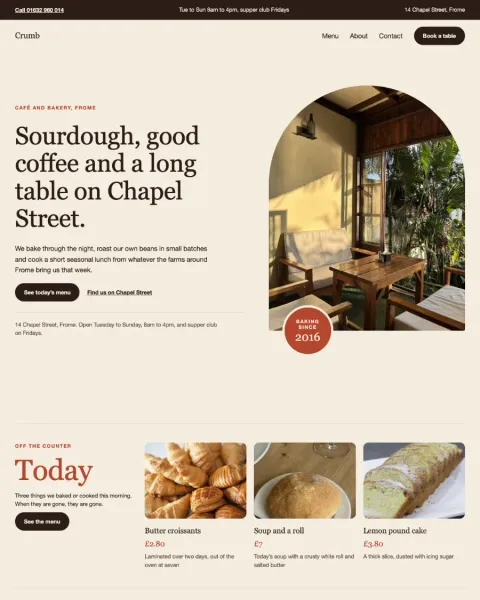
Crumb Café and bakery
See Crumb as whole pagesMend Physiotherapy clinic
See Mend as whole pagesVow Wedding website
See Vow as whole pagesSpur Electrician and plumber
See Spur as whole pagesBough Tree surgeon
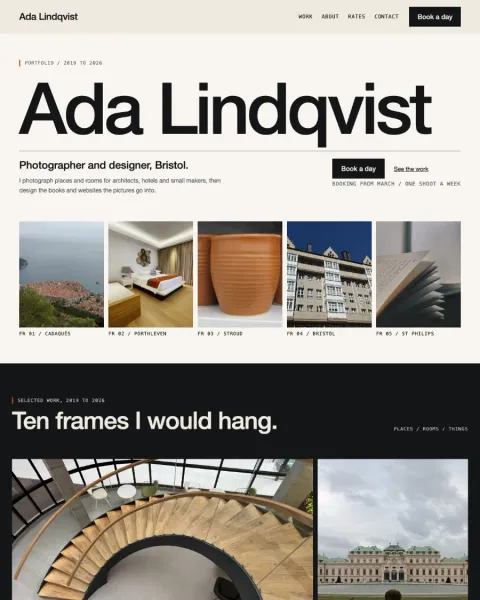
See Bough as whole pagesFolio Freelance photographer and designer
See Folio as whole pagesTape Podcast
See Tape as whole pagesCounsel Law firm
See Counsel as whole pagesNav audience switch
Authored font stack with theme and device fallbacks
Nav call now
Authored font stack with theme and device fallbacks
Nav door sign
Authored font stack with theme and device fallbacks
Nav hanging action
Authored font stack with theme and device fallbacks
Nav name block
Authored font stack with theme and device fallbacks
Nav name underlined
Authored font stack with theme and device fallbacks
Header station board
Authored font stack with theme and device fallbacks
Header wayfinding plaque
Authored font stack with theme and device fallbacks
Try a shorter search or choose another category.
Showing 1–20 of 20 · Featured first
Looking for sections that move? 58 interactive patterns on their own page
Any theme
The same section in each theme below, word for word. The pattern brings the layout; the colours and fonts are the theme’s, so it matches the rest of your site.
20 patterns
| Pattern | What it is | Notable blocks | Variations | Access |
|---|---|---|---|---|
| Header station board | A compact wordmark and broad destination links turn the header into a typographic signboard, with a separate address and opening-hours rail. | Navigation | 2 | Subscription |
| Header wayfinding plaque | A projecting nameplate beside two stacked routes. | Navigation | 2 | Subscription |
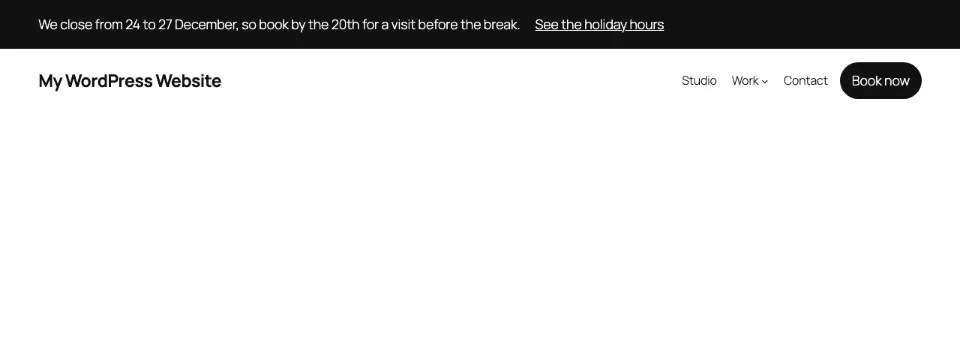
| Nav announcement bar | A header in two bands. | Navigation, Site title | 1 | Subscription |
| Nav audience switch | A header for a business with two kinds of customer. | Navigation, Site title | 2 | Subscription |
| Nav bar | A header bar on one line. | Navigation | 6 | Free |
| Nav call now | A local-business header whose telephone number is the largest thing in it. | Navigation, Site title | 2 | Subscription |
| Nav centred logo | A header on one line in three tracks. | Navigation, Site title | 1 | Subscription |
| Nav door sign | A shop header whose tagline is its opening hours. | Navigation, Site title | 2 | Subscription |
| Nav episode strip | A show header in two bands. | Navigation | 2 | Subscription |
| Nav hanging action | A header whose one action hangs below it. | Navigation, Site title | 2 | Subscription |
| Nav index | A header whose menu reads as a contents page. | Navigation, Site title | 2 | Subscription |
| Nav masthead | A header set like a newspaper masthead. | Navigation, Site title | 2 | Subscription |
| Nav menu | The header that drives a real menu. | Navigation, Search, Site logo, Site title | 2 | Subscription |
| Nav name block | A split header. | Navigation, Site title | 2 | Subscription |
| Nav name tab | A header drawn as a folder tab. | Navigation, Site title | 2 | Subscription |
| Nav name underlined | A one-row header set flush left. | Navigation, Site title | 2 | Subscription |
| Nav one link | A landing-page header with two things in it. | Site title | 2 | Subscription |
| Nav search | A header where the search box takes all the width the name and your WordPress menu leave, with its button beside it, over a hairline. | Navigation, Search, Site title | 1 | Subscription |
| Nav stack | A header built as a masthead rather than an app bar. | Navigation | 6 | Free |
| Nav utility bar | A local-business header in two bands. | Navigation | 6 | Free |
Guide
A header has to do three things at once: say whose site this is, show where a visitor can go, and offer the one action that matters most, such as booking or calling. Anything beyond that competes with the page below it, so keep the menu to the places people actually look for.
Choose the layout from the length of your menu. A single bar suits five or six links and a short name. When the business also needs a phone number, opening hours or an address up top, a stacked header gives those details their own row so the menu stays clean.
Pick a bar for a short menu and a stacked header when the site has many places to go. The menu is a core Navigation block, so it reads your own menu.
New to patterns? Learn how to copy and paste a pattern. Read how we test patterns.
FAQ
Open a pattern, choose a variation and press Copy pattern. In the block editor, click into an empty paragraph and press Cmd+V on Mac or Ctrl+V on Windows: the section arrives as ordinary blocks you edit like any other.
In the Site Editor (Appearance > Editor), open Patterns, then the Header template part, and paste the pattern in place of the one there. Save, and every page using that header shows the new one.
The Navigation block decides this with its Overlay menu setting. On Mobile, the links fold behind a menu button on small screens; on Off, they stay visible and wrap. Change it in the block settings to suit how many links you have.
No. All 20 are built from core WordPress blocks, such as Navigation, so they paste into the block editor with nothing to install.
Yes. Every pattern's first variation names no colour or font of its own: it takes your theme's palette, type and spacing when pasted. 23 Styled looks bring their own colours, and each is labelled Styled.
Yes, 3, marked Free in the At a glance table on this page. They copy without an account and are among 64 free Core Patterns; a subscription opens the rest.
Subscribe
Yearly plans
Every pattern, template and theme download, and new patterns as we release them.
Checking your account.
Yearly plans
Every pattern and styled look, every theme (whole pages, a theme download, or a whole website started in one click) and the Pro plugin, on unlimited websites. The interactive patterns are on Everything.
Billed once a year
What you copy is yours forever. Not for you? We refund within 14 days.
Unlimited covers your own sites and the sites you build for clients; an account may not be pooled or resold between unrelated businesses. Everything you copy is yours to keep, forever, on any site; access to the rest of the library runs while you subscribe. Not for you? Tell us within 14 days of a payment and we refund you. After that, cancelling stops the next renewal and access runs to the end of the year you have paid for. Prices are in pounds and are the full price in the UK, the US and eleven other countries; elsewhere the checkout adds your local VAT or sales tax. The terms name every country. If the renewal price changes, we will email you at least 30 days before it applies.
Already subscribed?
Pro, £49 a year
Sign in to continue
Your subscription lives on your account. Sign in, or create one here, and you go straight on to payment.
Not got an account?
A password is at least 8 characters. Trouble signing in? [email protected]
You are subscribed
Every page arrives as a draft, with the header, footer, menu and pictures. Nothing is published until you say.
Your plan, on unlimited websites. Your card, invoices, plan changes and cancellation are in Stripe's billing portal.
The Interactive Patterns come with Everything. Manage billing moves you up, and you pay only the difference.
Payment is handled by Stripe; we never see your card.